
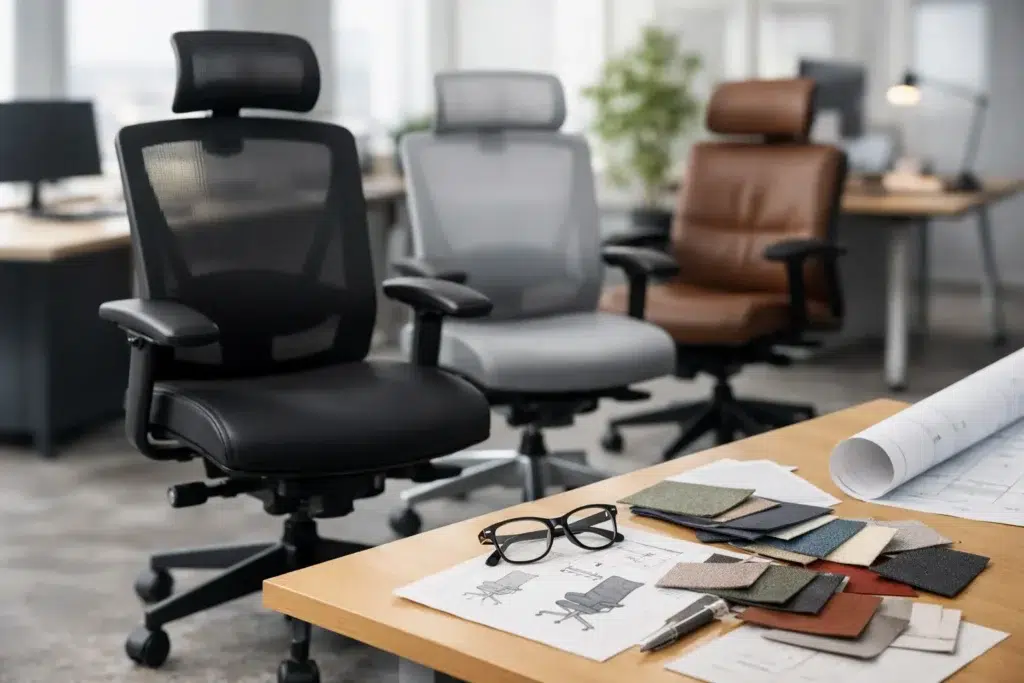
Office Chair Specification Guide for Projects
A chair that looks appropriate in a finish schedule can still become the most frequent source of occupant complaints after move-in. For facility teams, designers, and project managers, an office chair specification guide should translate visual intent into measurable performance: fit, durability, adjustability, cleanability, code considerations, and replacement planning. The right specification protects the workplace experience long after the installation crew leaves.
Start the Office Chair Specification Guide With the Work
Specify the task before specifying the chair. A private office used intermittently, a shared touchdown area, a 24/7 operations center, and a training room place very different demands on seating. Treating them as one category often leads to overspending in low-use spaces or under-specifying chairs where employees spend eight or more hours a day.
For assigned desk work, prioritize user adjustment range and long-term comfort. In benching environments and hot-desking areas, intuitive controls matter as much as the number of controls because different users need to reset the chair quickly. For conference, guest, and training seating, stackability, mobility, storage footprint, and visual consistency may carry more weight than advanced ergonomic mechanisms.
The expected user population also matters. A chair designed around an average body type may not provide adequate seat-depth, arm-width, or weight-capacity range for the actual workforce. Ask early whether the project needs a standard task chair, a larger-scale model, a stool-height chair, or a combination of options. A single chair model can simplify purchasing, but a limited family of coordinated models often serves people and spaces better.
Evaluate Ergonomics Beyond the Feature List
A long list of ergonomic features does not automatically equal a better chair. The objective is to provide useful adjustment without making operation confusing. Review the controls in person when possible, particularly for multi-user workplaces where staff may not receive individual setup training.
Fit and adjustment range
Seat-height adjustment should allow users to place their feet flat on the floor while maintaining a comfortable knee angle. The useful range, not simply the presence of a pneumatic lift, is what should be reviewed. Seat depth should support the thighs without pressing into the back of the knees; a sliding seat pan is valuable when one chair must accommodate a broad user group.
Back support deserves equal scrutiny. Look at lumbar support placement, height adjustment, firmness, and how the back responds as the user reclines. A synchronized tilt mechanism can support natural movement during long desk work, while a basic tilt may be acceptable in spaces with shorter occupancy. Recline tension and tilt lock settings should be accessible and durable enough for repeated daily adjustment.
Armrests affect both comfort and workstation clearance. Height-adjustable arms are generally appropriate for task seating, but width, depth, and pivot adjustments may be warranted for intensive computer work. Arms that are too wide can prevent close access to a desk; arms that do not lower sufficiently can create the same problem. For conference chairs, fixed arms may support a cleaner visual profile and simpler maintenance, provided table clearance is confirmed.
Seat and back materials
Mesh backs are common because they promote airflow and provide a lighter visual presence in open offices. Their performance varies significantly by mesh tension, frame construction, and edge design. A poorly tensioned mesh back can lose support over time or create pressure points around the frame.
Upholstered backs and seats can offer a more tailored appearance and greater material flexibility, including performance textiles that align with a brand palette. They also require careful review of abrasion resistance, stain resistance, cleanability, and seam construction. For healthcare-adjacent, food-service office, or high-cleaning environments, coated fabrics, vinyl, or other nonporous surfaces may be appropriate, though breathability and comfort can be trade-offs.
Specify Performance for the Actual Occupancy Level
Commercial seating should be selected around use cycles, not just appearance at delivery. Review the manufacturer’s stated weight capacity, warranty coverage, and testing documentation. A chair used by one employee during standard business hours has a different operating profile than a call center chair used across multiple shifts.
For high-use applications, verify the construction of the base, casters, lift, arm assemblies, and recline mechanism. These are the components most likely to see repeated force and movement. A five-star base is standard for task seating, but material choice still matters. Aluminum can provide a premium appearance and strong long-term performance; reinforced nylon may be a practical choice for many commercial interiors when rated for the intended use.
Caster selection must match the flooring. Hard casters can be suitable for carpet, while soft-tread casters are often better for hard surfaces such as LVT, wood, or polished concrete. The wrong caster can damage flooring, roll poorly, or create excess noise. Where movement should be limited, specify glides rather than assuming casters are required.
Do not overlook maintenance. Ask how easily arms, casters, upholstery, and cylinders can be replaced. In a large installation, field-serviceable components can reduce downtime and avoid replacing an otherwise functional chair. Standardizing selected parts across a chair package can also make future replenishment more manageable.
Coordinate Dimensions With the Furniture Plan
Chair dimensions must be reviewed in relation to desks, tables, circulation paths, storage, and partition systems. A chair may fit beneath a work surface while still leaving too little clearance for a user to enter, turn, or move through the aisle. This is particularly common in dense benching plans and executive offices with credenzas behind the desk.
Confirm overall width with arms, overall depth at full recline, seat height range, and the footprint of the caster base. For meeting rooms, account for the chair pull-back distance at each seat. For training rooms, test the layout in both occupied and stored conditions. A compact chair that stacks efficiently may be the correct operational choice even if a larger chair initially feels more substantial.
Chair planning should also address power and technology. Users need enough space to reach under-desk outlets, adjust monitor arms, and move around cable-management components without snagging armrests or bases. When offices include sit-stand desks, confirm that the chair’s height range works with the desk’s lowered position and consider whether a footrest or task stool is required for elevated work settings.
Review Compliance, Indoor Air Quality, and Documentation
Commercial projects may require specific documentation before procurement can proceed. The exact requirements depend on the client, building type, jurisdiction, and certification goals, so they should be identified at the programming stage rather than after product selection.
Common review items include fire-performance requirements for upholstery, indoor-air-quality certifications, material transparency documentation, recycled-content information, and accessibility considerations. Government, education, healthcare, and corporate projects may add their own standards. A product that satisfies the design brief but lacks required documentation can delay approvals and force a late substitution.
Finish samples and written specifications should identify the frame finish, base finish, textile or mesh, caster type, arm configuration, and any optional lumbar or headrest components. Vague descriptions such as “black task chair” create room for inconsistent substitutions. A clear specification also helps purchasing teams compare quotations on an equal basis.
Build a Chair Package, Not a Collection of Isolated Products
An effective office seating package usually includes more than one chair type. Task chairs, executive seating, guest chairs, conference seating, stools, and multipurpose chairs should share a coordinated design language without being forced into identical construction. This approach supports a cohesive workplace while letting each area perform as intended.
Budget should be allocated according to exposure and use. Invest where employees spend sustained time and where failure would disrupt operations. Use simpler, durable seating for low-duration areas when it meets comfort and aesthetic needs. The lowest unit cost is rarely the lowest ownership cost if replacement rates, service calls, and occupant dissatisfaction rise afterward.
For projects with custom finishes, phased installations, or multiple locations, establish an approved specification matrix before orders are released. FOH Furniture can support this process through coordinated planning, commercial sourcing, custom manufacturing, and package-level review, helping project teams align chair selections with the larger furnishing scope.
A well-specified chair is not defined by the most features or the highest price point. It is the chair that fits the users, supports the work, works within the plan, and can be maintained over the life of the space. Give the specification that level of attention early, and seating becomes one less variable during installation and occupancy.

Furnishing a Commercial Space?
Let’s bring your vision to life with furniture that is durable, compliant, and built for real-world performance.
Planning a Commercial Furniture Project?
- Expert Project Guidance
- Competitive Pricing
- Quality You Can Trust


