
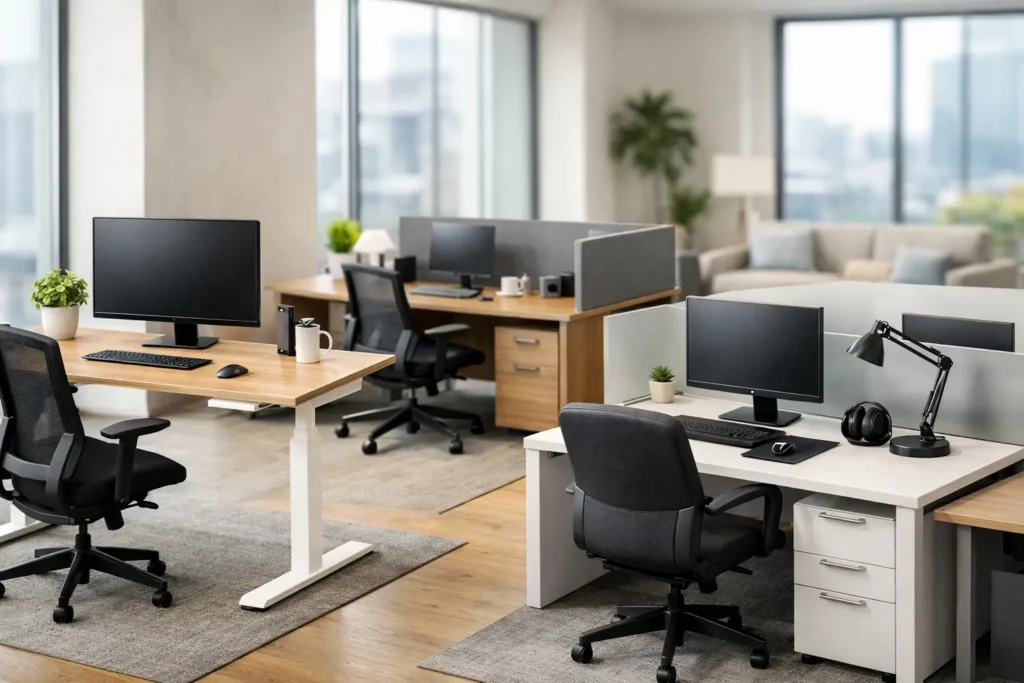
Choosing Office Desks and Workstations
A workstation plan usually looks fine on paper until people start using it. Traffic stalls near shared storage, cables show up where they should not, heads-down teams end up beside high-call departments, and the desk package that seemed cost-effective starts creating daily friction. That is why selecting office desks and workstations is less about filling square footage and more about supporting the way a business actually operates.
For commercial buyers, the right solution has to perform on several levels at once. It needs to fit the floor plate, support department workflows, align with brand standards, hold up under daily use, and stay inside budget. It also has to work within project realities such as lead times, phased installation, specification requirements, and future reconfiguration. When desks are treated as a commodity, those factors get missed. When they are treated as part of a broader furniture plan, the outcome is more efficient and easier to manage.
What office desks and workstations need to solve
In a commercial environment, a desk is rarely just a desk. It is part of a system that affects focus, collaboration, storage, power access, privacy, supervision, and circulation. A private office has different demands than an open-plan sales floor. A creative team may need larger shared surfaces and flexible touchdown areas, while an administrative department may need more filing capacity and clearer boundaries between users.
This is where many projects either gain efficiency or lose it. If every department receives the same desk solution regardless of task type, the space tends to underperform. Standardization can help with cost control and visual consistency, but over-standardization often creates workarounds. Those workarounds usually show up later as added accessories, layout changes, replacement purchases, or complaints about usability.
The better approach is to start with operational needs. How much individual work surface does each role require? What level of acoustic or visual privacy is necessary? Are monitors mounted or freestanding? How often do teams collaborate at the workstation versus in separate meeting areas? The answers shape the right mix of benching, panel systems, private office desks, executive stations, and shared support furniture.
Planning office desks and workstations by work mode
The most effective workstation layouts are built around how teams spend the day, not just how many people need seats. In some offices, staff are primarily computer-based and remain at their stations for most of the day. In others, employees move between calls, meetings, collaborative sessions, and quiet focus work. Those differences directly affect desk depth, storage requirements, screen placement, and separation between users.
A heads-down accounting team may benefit from more enclosed workstation configurations, integrated storage, and stronger visual division between seats. A client-facing team may need open communication, easy supervisor access, and shared touchdown surfaces for quick exchanges. Leadership offices often require a different expression altogether, combining executive presence with practical meeting utility.
This is also where growth planning matters. A layout that uses every inch of the current floor plan may look efficient, but it can create problems when headcount changes. Leaving room for modular expansion or selecting workstation systems that can be reconfigured later often provides better long-term value than maximizing density on day one.
Open plan, benching, and panel-based systems
Open benching systems are often chosen for density, clean aesthetics, and team visibility. They can work well in departments that rely on frequent communication and want an uncluttered footprint. They also tend to support easier reconfiguration when business needs shift. The trade-off is privacy. Without the right accessories, spacing, or nearby breakout areas, benching can increase distraction.
Panel-based workstations provide more individual definition. They help manage acoustics, visual separation, and cable organization while still supporting open office planning. They are often a practical choice for teams that need concentrated work time but do not require private rooms. The trade-off is that they usually take more planning and can feel heavier visually if finishes and panel heights are not selected carefully.
Neither option is automatically better. It depends on the department, the culture, and the amount of support space available elsewhere in the office.
Private offices and executive workstations
Private office desks and executive workstations need to balance image with utility. Larger desks can communicate leadership presence, but oversized footprints are not always the best use of space if they reduce meeting functionality or circulation. In many commercial projects, an executive office performs better when the desk is paired with a small meeting zone, coordinated storage, and a layout that supports both focused work and quick internal discussions.
Material selection matters here as much as size. Commercial-grade laminates may be the right fit for durability and consistency across multiple offices, while veneer or custom finishes may be appropriate when brand presentation or client-facing impression is a priority. The right answer usually depends on budget, use level, and how visible the office is within the broader environment.
Specifications that matter more than they seem
The visual decision is often the easiest part of a workstation package. The harder, more important layer is specification. Dimensions, power access, wire management, storage configuration, divider height, return placement, and finish durability have a direct impact on daily performance.
Cable management is a common example. In renderings, a desk may appear clean and minimal. In active use, multiple monitors, docking stations, task lighting, chargers, and desktop equipment can quickly create clutter if power and data pathways were not planned from the start. Commercial buyers should consider where power enters the station, how cords are concealed, and whether future technology changes can be accommodated without replacing the entire system.
Storage is another area where assumptions can create costly mismatches. Some teams are reducing paper and need very little personal storage. Others still rely on files, samples, tools, or secured materials. If storage is underspecified, users tend to add freestanding pieces that disrupt the layout. If it is overspecified, the project may carry unnecessary cost and consume valuable square footage.
Durability should also be reviewed through a commercial lens. Edge details, surface materials, drawer hardware, and base construction all affect long-term wear. A desk package that looks acceptable at install can break down quickly in a high-use office if materials were selected for appearance alone. For business owners and project teams, replacement cycles matter. So do maintenance demands and consistency across future expansions.
Why coordination matters in workstation projects
Office furniture projects rarely involve desks alone. Workstations have to coordinate with task seating, guest chairs, conference rooms, reception, storage walls, and sometimes adjacent spaces with different requirements. That coordination becomes even more important in multi-phase renovations, tenant improvements, and new office build-outs where several vendors and trades are already involved.
This is why a project-based furnishing approach tends to outperform piecemeal sourcing. When workstation planning, finish selection, layout review, and production coordination happen within one process, there is less room for mismatch. Designers can align the aesthetic across departments, project managers can address site constraints earlier, and buyers can avoid the delays that come from trying to reconcile products from disconnected sources.
For firms managing multiple spaces or repeat installations, consistency is another advantage. Standardized finish palettes, repeatable workstation types, and documented specifications make future procurement easier without forcing every office into the exact same plan.
Customization versus standardization
Commercial buyers often assume they must choose between fully custom furniture and standard products. In practice, the best workstation strategy is often a controlled mix of both. Standard product lines can provide dependable lead times, tested dimensions, and cost efficiency. Customization can then be applied where it has the most impact, such as unique sizing, finish alignment, storage modifications, branding details, or atypical floor plan conditions.
That balance matters because not every project needs a ground-up custom solution, but many do need more flexibility than an off-the-shelf layout can offer. Structural columns, unusual room depths, departmental adjacencies, and brand requirements can all make a standard catalog approach feel forced. A partner with planning and manufacturing capability can usually solve those gaps more efficiently than trying to patch them in the field.
This is where FOH Furniture fits well for commercial clients who need more than a product order. When workstation planning, custom capability, and project coordination sit under one roof, the result is typically cleaner from both a design and execution standpoint.
Common mistakes buyers can avoid
One of the most frequent mistakes is prioritizing seat count over usability. Fitting more stations into a floor plan may reduce cost per seat on paper, but if circulation tightens, privacy disappears, or support spaces are removed, the office can become less productive. Another is selecting desks before confirming technology needs. Monitor arms, floor cores, power poles, shared printers, and storage all affect workstation configuration.
Buyers also run into trouble when they evaluate furniture in isolation from installation and logistics. Access restrictions, phased occupancy, freight coordination, and punch-list timing can all influence which workstation solution is most practical. The lowest product price is not always the lowest project cost.
Finally, finish decisions deserve more discipline than they sometimes receive. Desks and workstations set the visual baseline for much of the office. If finishes are chosen too quickly, the result can feel inconsistent once seating, conference furniture, and architectural materials are in place. A coordinated package typically performs better than a series of individual decisions made under deadline pressure.
The right office desks and workstations should make the workplace easier to use, easier to manage, and easier to grow. When the selection process starts with workflow, specifications, and project coordination instead of just unit price, the furniture does more than fill a plan – it supports the business behind it.

Furnishing a Commercial Space?
Let’s bring your vision to life with furniture that is durable, compliant, and built for real-world performance.
Planning a Commercial Furniture Project?
- Expert Project Guidance
- Competitive Pricing
- Quality You Can Trust


2 thoughts on “Choosing Office Desks and Workstations”
This was really helpful! I never thought about how much desk size and shape can affect comfort until I read this. My old desk was too small and my back always hurt by the end of the day. I think I’ll go with an L-shaped desk like you suggested since I have a bit more room now. Thanks for breaking it down so clearly, it made choosing way less confusing!
Thank you and no problem! I’m glad this helped you! We have the perfect L-shaped desk for you Modern L shaped desk