
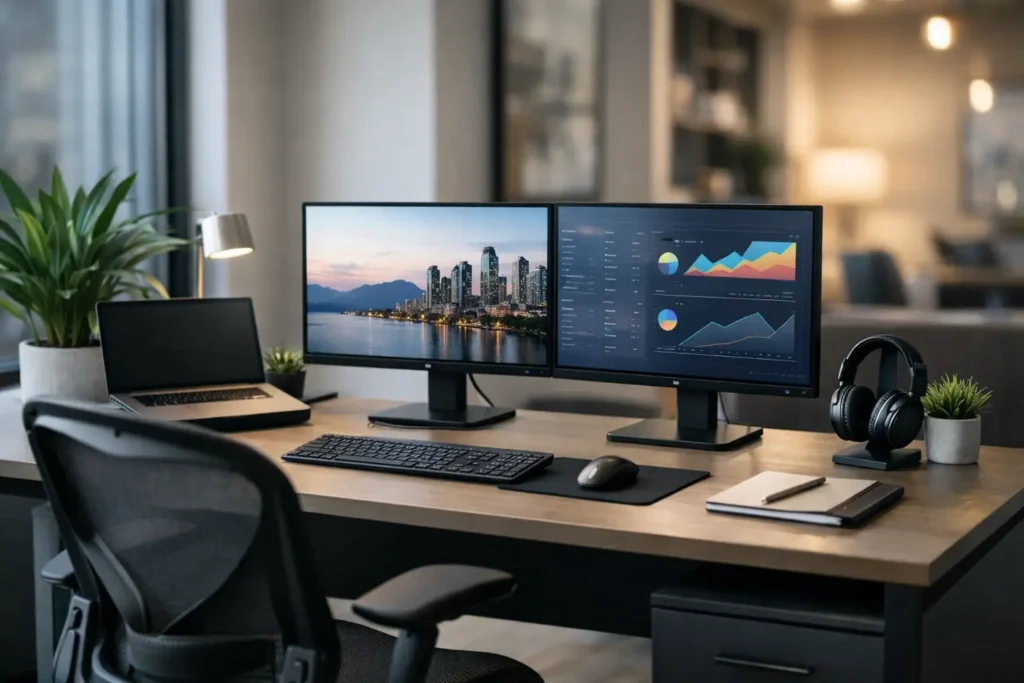
Office Workstation Setup for Better Performance
A poorly planned office workstation setup usually shows up first in small operational problems. Power access is awkward, storage is inconsistent, circulation paths tighten up, and employees start adapting around the furniture instead of working through it. Over time, those issues affect comfort, productivity, supervision, and the overall quality of the workspace.
For commercial offices, workstation planning is not just about choosing desks and chairs that look coordinated. It is about creating a repeatable system that supports headcount, technology, workflow, privacy, and long-term use. The right setup should work for daily operations now while giving the business room to scale, reconfigure, or standardize across departments and locations.
What an office workstation setup needs to accomplish
In a commercial setting, each workstation has to do more than provide a work surface. It needs to support the employee using it, fit the available floor plan, and align with the way the team actually operates. That includes computer use, phone use, paper storage, collaboration frequency, supervision needs, and acoustic conditions.
A workstation that performs well in a call center may not be right for an executive support team, design office, or administrative department. Open benching can improve density and visual consistency, but it may reduce privacy and increase distractions. Larger panel-based stations can improve focus and define territory, but they require more square footage and can make a floor feel heavier if space planning is not handled carefully.
That is why a workstation setup should be evaluated as part of the full office environment, not as a single furniture purchase. Layout, circulation, ancillary storage, meeting zones, and shared resources all affect whether the final installation functions efficiently.
Start with workflow before furniture selection
The most effective office workstation setup begins with a planning discussion, not a product list. Before selecting workstation styles, it helps to define how many users the space needs to support, what tasks they perform, and how often they need interaction versus concentration.
For example, a sales team that relies on frequent communication may benefit from open workstations with easy sightlines and shared touchdown areas. A finance or HR department may need more visual screening, better acoustic separation, and lockable storage. If teams are hybrid, a dedicated assigned station for every employee may not be the best use of square footage. In that case, shared desking, modular workstations, or a mix of assigned and flexible seating may create better space efficiency.
This stage also affects infrastructure planning. Data ports, floor boxes, power access, monitor requirements, and device charging all need to align with workstation placement. If those details are treated as afterthoughts, even high-quality furniture can end up working against the office.
Office workstation setup options by layout type
There is no single best workstation format for every commercial office. The right choice depends on headcount, space constraints, brand presentation, and how much flexibility the floor plan needs over time.
Benching systems
Benching systems are often used when businesses want a clean, space-efficient layout with a contemporary appearance. They can support high-density planning and make it easier to create a uniform visual standard across departments. They also adapt well to shared power and cable management when specified correctly.
The trade-off is privacy. Benching works best when teams are collaborative, noise levels are manageable, and the office includes enough breakout rooms or enclosed spaces to support focused work and private conversations.
Panel-based workstations
Panel systems remain a practical choice for many commercial offices because they provide structure, division, and integrated support for storage and cable routing. They can improve concentration and help organize departments into clear work zones.
These setups are useful when users need more individual territory or when a business wants defined stations without building permanent walls. The balance to manage is footprint. Panel systems usually require more planning around circulation and sightlines, especially in smaller offices.
L-shaped and managerial workstations
Some roles require more surface area, dual-task zoning, or space for small in-person meetings. L-shaped workstations and managerial desk configurations can support that need while maintaining a professional appearance.
This format is common in administrative leadership, operations, and support roles where paperwork, multiple screens, or guest seating are part of the daily routine. The key is using them where function justifies the footprint rather than applying the same larger workstation standard across every role.
Ergonomics should be built into the specification
In commercial projects, ergonomics should be treated as a baseline requirement rather than an upgrade. Employees spend long hours at their stations, and poorly fitted furniture tends to create avoidable strain, inconsistent posture, and lower comfort throughout the day.
A practical workstation specification usually includes an appropriate work surface height, monitor positioning support, and seating that adjusts for height, arm placement, and lumbar support. In some environments, height-adjustable desks are worth considering, especially for users in dedicated workstations or departments where extended computer use is constant. They can improve flexibility, but they also require budget alignment, power planning, and consistency in accessories.
Ergonomic performance also depends on proportional fit. A well-designed workstation can still underperform if the storage pedestal blocks leg clearance, the monitor arm range is too limited, or the desk depth does not support the intended screen setup. For that reason, workstation planning should consider the user profile and equipment package together.
Storage, privacy, and power are not secondary details
Many office furniture projects run into trouble because the visible elements get the most attention while support components are handled too late. In practice, storage, privacy, and power access are what make a workstation usable day after day.
If employees rely on paper files, supplies, or personal storage, the workstation needs to account for that without overcrowding the leg space or circulation path. If confidential work is part of the role, visual screening and lockable storage may be necessary. If staff work across multiple monitors or connected devices, the power and data plan needs to support that cleanly.
Cable management is especially important in open-plan environments. Exposed cords and improvised power solutions quickly reduce the quality of the installation, and they can create maintenance and safety issues. A commercial office should be specified with integrated wire management that matches the workstation system rather than patched together after occupancy.
Planning for growth and reconfiguration
A strong office workstation setup should support change. Businesses add staff, shift departments, adopt hybrid schedules, and reassign square footage. Furniture that cannot adapt often creates unnecessary replacement costs or forces inefficient layout decisions later.
Modular workstation systems can make expansion and reconfiguration more manageable, especially in offices where growth is expected. Standardized finishes and repeatable components also help maintain visual consistency when adding stations in phases. This matters for both procurement efficiency and brand presentation.
There is a budget trade-off here. A highly flexible system may cost more upfront than a basic desk package. But in offices that expect movement, re-stacking, or phased buildout, that investment can reduce disruption and long-term replacement costs.
A coordinated approach matters in commercial projects
An office workstation setup rarely succeeds on furniture alone. It depends on coordination between planning, specification, finishes, lead times, installation, and the practical demands of the site. That is especially true when the project includes multiple workstation types, custom sizing, or alignment with architectural and design standards.
For business owners and trade professionals, fragmented sourcing often creates the biggest problems. One vendor supplies desks, another handles seating, another addresses storage, and compatibility gaps show up during installation. A more coordinated process reduces those risks by aligning furniture selection with floor plan requirements and execution timelines from the start.
That is where a full-service commercial partner can add value. FOH Furniture works with businesses, designers, and project teams to support furniture planning, custom solutions, and coordinated workplace packages that fit real operational needs, not just product categories.
How to evaluate whether your setup is working
The easiest way to assess a workstation layout is to look beyond appearance. If circulation feels tight, power access is inconsistent, staff are adding aftermarket solutions, or certain departments struggle with noise and storage, the setup is probably underperforming.
A well-executed workstation plan should make the office easier to use. Employees should have the support they need without overbuilding each station. Managers should be able to supervise appropriately. The layout should feel intentional, and the furniture should fit the work instead of forcing workarounds.
When those pieces align, the office performs better as a business environment. That is the real standard for a successful workstation project, and it is usually achieved through planning decisions made long before the furniture arrives.

Furnishing a Commercial Space?
Let’s bring your vision to life with furniture that is durable, compliant, and built for real-world performance.
Planning a Commercial Furniture Project?
- Expert Project Guidance
- Competitive Pricing
- Quality You Can Trust


