
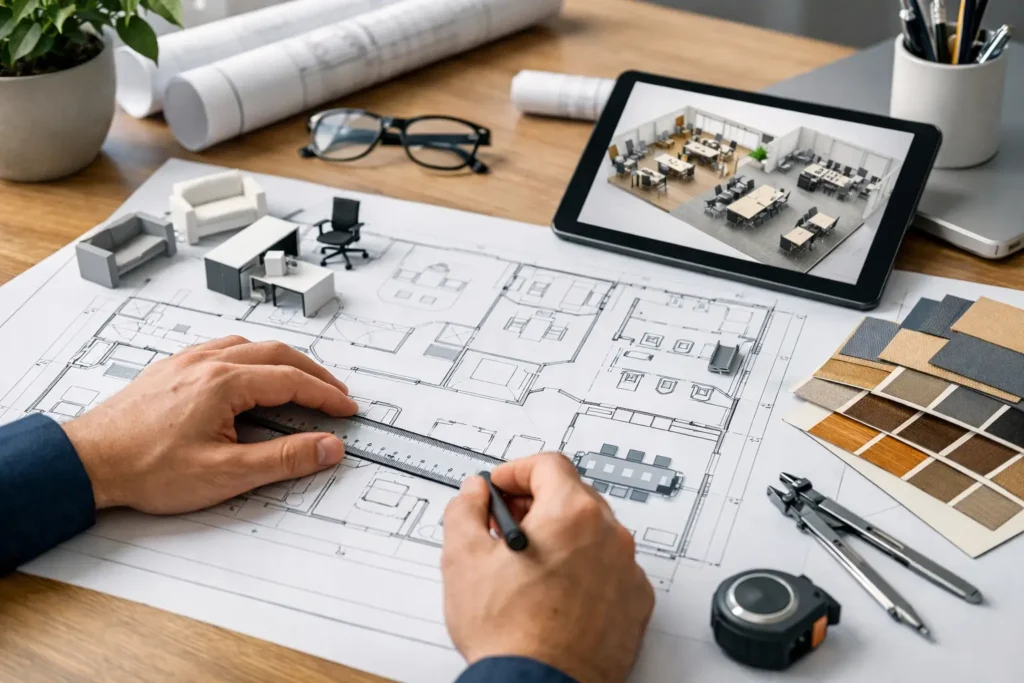
How to Plan Office Furniture Layouts
A layout problem usually shows up long after the furniture arrives. Teams start walking around oversized workstations, meeting rooms sit half-used, circulation paths tighten, and simple tasks take more effort than they should. That is why knowing how to plan office furniture layouts matters early in the project, not after product selection is already underway.
For commercial spaces, layout planning is not just a design exercise. It affects headcount, code compliance, privacy, acoustics, technology access, and long-term flexibility. A good plan supports the way people actually work while keeping installation, budgeting, and future changes in view.
Start with the way the office operates
The most common mistake in office planning is beginning with furniture styles before defining operational needs. An office that supports focused individual work will require a different layout than one built around sales activity, client visits, or hybrid team collaboration. Before placing a single desk, establish how the space will function day to day.
That starts with simple but important questions. How many people use the office daily, and how many are hybrid? Which teams need adjacencies? Where do confidential conversations happen? How often are guests, vendors, or clients in the space? These answers shape the layout more than product catalogs do.
This is also the stage to identify non-negotiables. Structural columns, window lines, entry points, electrical locations, IT infrastructure, and life safety requirements all affect what is realistic. In many projects, the best-looking concept on paper fails because it ignores power access or creates circulation conflicts around core building elements.
How to plan office furniture layouts in the right order
Office layouts work best when planned in layers. Start with architecture, then movement, then function, then furniture. Reversing that order often leads to compromises that are expensive to fix later.
Begin with an accurate floor plan. Dimensions must reflect the built space, not assumptions from an early leasing brochure. Include doors, windows, columns, wall projections, utility points, and any fixed elements. If the office is being renovated, confirm what is staying and what is changing.
Next, define circulation. People need clear, comfortable pathways between entrances, workstations, conference rooms, support areas, and exits. Main circulation routes should feel obvious, not improvised. When circulation is too tight, the entire office feels crowded, even if the square footage is technically adequate.
Then assign functional zones. Most offices need a mix of individual work areas, collaborative settings, private meeting space, reception or waiting zones, storage, and shared resource areas. The balance depends on the business. A law office will prioritize privacy differently than a creative agency or a customer support operation.
Only after those decisions are clear should furniture footprints be applied. At that point, the furniture is supporting the plan instead of dictating it.
Balance density with usability
Every office project includes pressure to maximize square footage. More seats can look efficient on a plan, but density has trade-offs. If employees cannot move easily, store materials properly, or meet without disrupting others, the office becomes less productive even if more people fit on paper.
This is where workstation sizing matters. Benching systems may increase headcount and support open collaboration, but they can also reduce privacy and increase noise if not balanced with enclosed rooms or acoustic separation. Larger workstations improve comfort and storage, but they reduce flexibility and may leave too little room for shared settings.
There is no universal ideal. The right answer depends on job function, team structure, and how long people remain at their desks. Executive offices, shared touchdown areas, and dedicated workstations should not be planned with the same assumptions.
Conference rooms present a similar issue. Many offices overbuild large conference rooms that stay empty most of the week, while lacking smaller rooms for two- to four-person meetings. A more efficient layout often includes fewer oversized rooms and more varied meeting settings sized to actual usage.
Use furniture to shape behavior, not just fill space
A strong office layout guides people naturally. Furniture placement can encourage focused work, support quick collaboration, or create separation between public and private areas without requiring major architectural changes.
Reception is a clear example. The front of office should communicate organization and professionalism while controlling traffic flow. Guests should immediately understand where to check in, where to wait, and where not to wander. The furniture plan should reinforce that sequence.
In open office areas, workstation orientation affects distractions, access to daylight, and team interaction. Some teams benefit from facing arrangements that support quick communication. Others need partitions, spacing, or angled placement to reduce interruptions. Privacy screens, storage components, and shared tables can all influence how the area performs without changing the architectural footprint.
Breakout spaces also deserve deliberate placement. When informal seating is too close to heads-down work areas, noise issues follow. When it is too isolated, staff will not use it. The most effective location is usually near team zones but outside main workstation rows.
Plan for power, technology, and support spaces
One of the biggest gaps in early layout planning is underestimating support infrastructure. Desks, conference tables, and lounge areas only work if users can connect devices, access power, and use technology without workarounds.
As you plan office furniture layouts, map where power and data are needed before finalizing furniture locations. That includes workstations, meeting tables, reception desks, touchdown counters, and training areas. If furniture is placed without regard to floor boxes, wall power, or cable management, the finished office may look complete but function poorly.
Storage is another area that gets squeezed late in the process. Teams still need room for files, supplies, personal items, shared equipment, and branded materials. If storage is not integrated into the layout, those needs spill into circulation paths and undercut the original plan. In some offices, centralized storage improves efficiency. In others, distributed storage at team zones is more practical. It depends on access patterns and security requirements.
Print stations, mail areas, coffee points, and copy rooms also need space around them, not just space for the equipment itself. If people queue in hallways or block workstation access, the support area is undersized.
Leave room for change
A layout should solve today’s needs without making tomorrow’s adjustments difficult. Businesses grow, teams reorganize, departments shift, and work patterns change. Furniture planning should account for that reality.
Modular workstations, movable tables, flexible training rooms, and adaptable storage systems can extend the life of the office. This does not mean every space needs to be multipurpose. In fact, overly generic planning can weaken performance. It means identifying where flexibility matters most and specifying furniture accordingly.
For example, a private office that may convert to shared use later should be planned with furniture dimensions and storage placement that support both scenarios. A meeting room that occasionally hosts presentations may need reconfigurable tables rather than a fixed boardroom layout. Small choices at the planning stage can protect the investment over time.
Coordinate aesthetics with performance
Commercial buyers often have to balance brand presentation with practical demands. The office needs to look cohesive, but visual consistency should not override durability, ergonomics, or fit.
That is especially true when multiple product categories are involved. Workstations, seating, conference furniture, reception desks, storage, and ancillary pieces all need to function together dimensionally and visually. A layout can fail if the furniture package is technically attractive but inconsistent in scale, finish coordination, or performance requirements.
This is where integrated planning has real value. When layout development, product specification, customization, and project execution are coordinated, it becomes easier to avoid mismatched furniture footprints, finish conflicts, and lead-time disruptions. For larger installations or multi-space projects, that coordination is often the difference between a clean rollout and a chain of field adjustments.
Review the plan like an operator
Before approving a layout, walk through it as if the office were already occupied. Can a visitor reach reception without confusion? Can employees move from desks to meeting rooms without crossing bottlenecks? Is there enough clearance for chairs to pull out comfortably? Can teams collaborate without disrupting adjacent work areas? Does the layout support cleaning, maintenance, and delivery access?
This operator-level review often reveals issues that look minor on a floor plan but create daily friction. It is also the right time to confirm furniture dimensions, installation sequencing, and any custom requirements. If a piece needs modified sizing, integrated power, special finishes, or coordinated package planning, that should be resolved before procurement, not after approvals are in place.
For businesses, designers, and project teams, the best office layouts are rarely the ones that simply fit the most furniture. They are the ones that make the space easier to use, easier to manage, and easier to adapt. If the plan supports people, workflow, and the realities of the installation, the furniture starts doing what it should have done from the beginning – working as part of the operation, not against it.

Furnishing a Commercial Space?
Let’s bring your vision to life with furniture that is durable, compliant, and built for real-world performance.
Planning a Commercial Furniture Project?
- Expert Project Guidance
- Competitive Pricing
- Quality You Can Trust


